Transaction Flow
Understanding how transactions are processed through the Payloft Payment Gateway is critical for effective integration. The diagrams below provide both a high-level overview and a step-by-step breakdown of the entire transaction lifecycle.
1. Transaction Flow Overview
This diagram outlines the core steps in the transaction process, from initiation to final status confirmation.
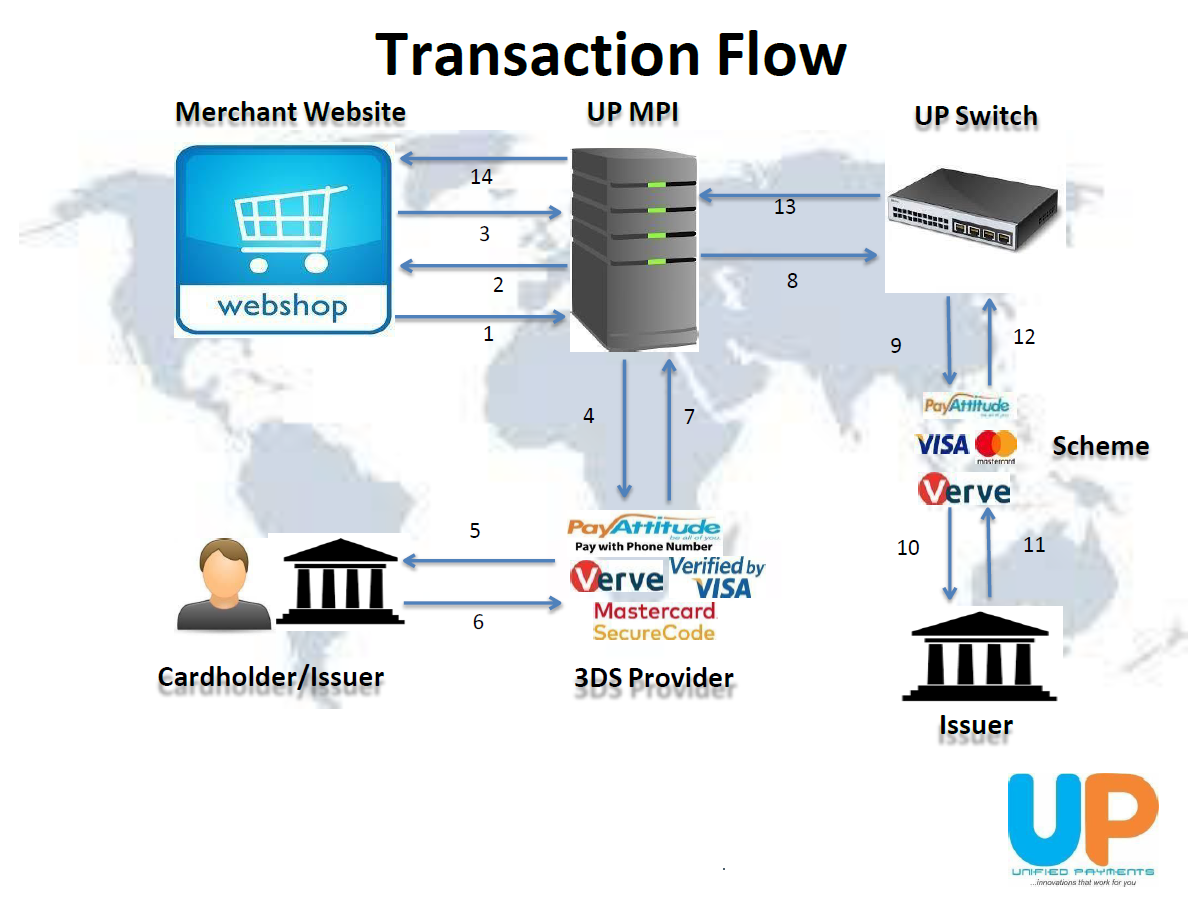
Summary of Flow:
Customer Initiates Payment
The customer triggers the transaction from your platform (e.g., website or mobile app).Payment Request Sent to Payloft
Card or phone-based payment details are securely transmitted to Payloft’s gateway.Authentication & Authorization
Depending on the scheme, the customer is authenticated (via PIN, OTP, or app approval), and the card issuer or scheme authorizes the transaction.Transaction Response Returned
Payloft processes the issuer's response and returns the outcome to your system.Confirmation Displayed to Customer
The user sees whether the payment was successful or failed on your application interface.
2. Detailed Flow Explanation
This diagram provides a deeper dive into the technical and process components involved in each phase.
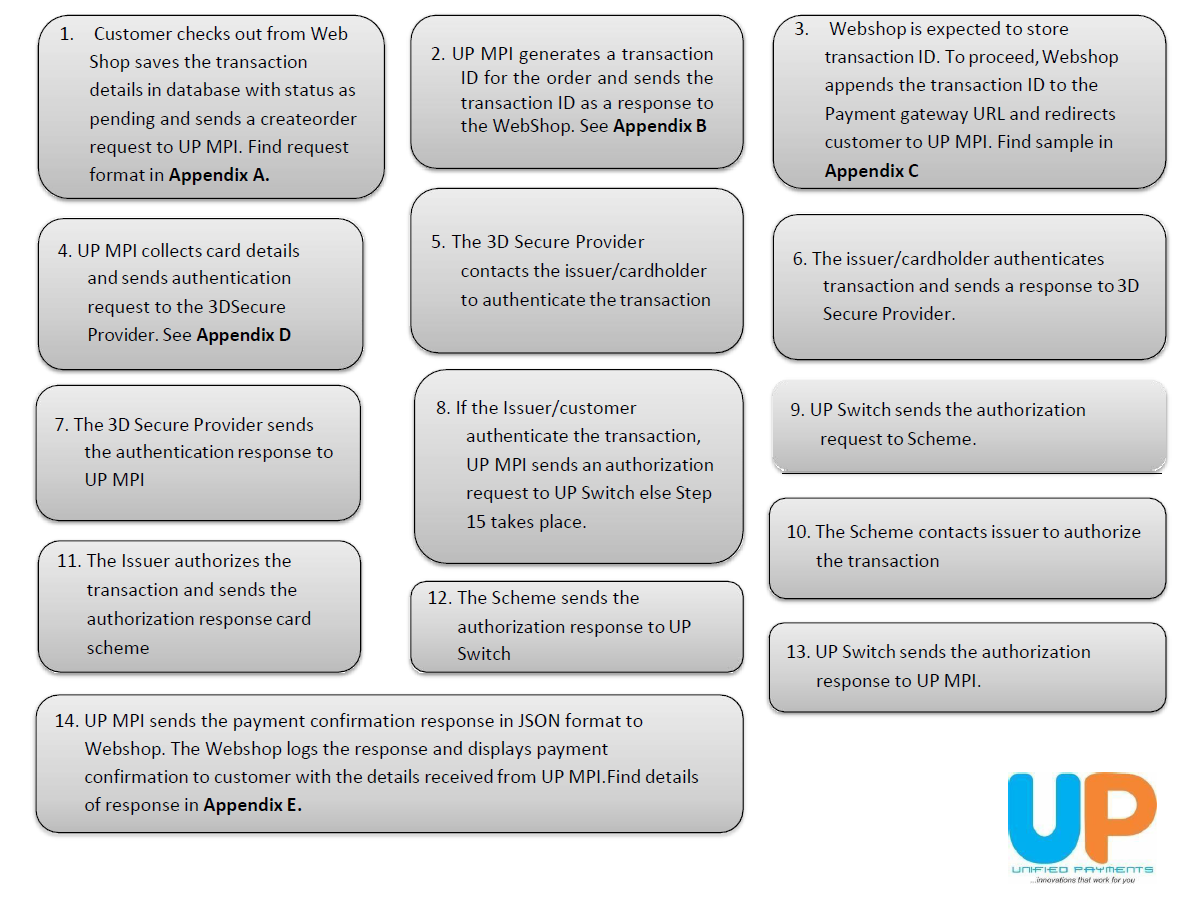
Components Covered:
Merchant Application
Where the transaction originates and final confirmation is shown.Payloft Gateway
Manages request validation, encryption, and routing to appropriate scheme or issuer.Authentication Layer
Handles cardholder verification via 3D Secure (for cards) or mobile prompt (PayAttitude).Card Schemes / Issuers
Final approval or decline of the payment based on account standing and fraud checks.